Transform Google Sheets into a DevOps Powerhouse in 10 Minutes (No Servers, No IDE!)
About this video
A full live session turning Google Sheets into a lightweight DevOps console: one Apps Script sends the command, a Python Cloud Function does the heavy lifting, and a Bash script deploys the function and pushes the repo. John covers building a portable Python ZIP, emailing artifacts with a Gmail app password, and creating and pushing to GitHub via the API, all serverless and from the browser.
Chapters
Transcript
Read the full transcript of “Transform Google Sheets into a DevOps Powerhouse in 10 Minutes (No Servers, No IDE!)”
Source: YouTube auto-generated captions, lightly cleaned (repeated caption lines removed, misheard brand names corrected).
0:00 — Intro & demo
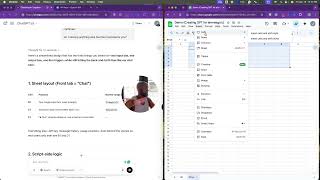
What's up y'all? JDub here with the paid search playground. Also, www. it all started with an idea.com. Um, what we're looking at here are two screens. One is a sheet for creating post end to end and then PPT. So, Miss Hopkins, an evangelist for Optimizer, a representative there, like a really dope human being, posted something on LinkedIn yesterday, hot peeps, like I don't need to give any shout outs. Y'all know Miss Hopkins said that a ChatGPT is just as much of a liar as Deep Seek, yada yada yada. Here are some things it said it would do. One, hand me a zip with Python preconfig. Send me a Dropbox. email me the zip. What's interesting is that I believed it every step of the way until the outputs failed. And so I said the noise alert 98% of what piped online are connectors demos not
real world builds. My newest article gives away a pocket size GBT formal workflow and every lesson we learn free inside just ask. Magic isn't having answers. It's saying co-creating better questions with patience, empathy, and a little resolve, right? Blahy blah blah. And I was like, "Okay, I think I can do this. Just give me till tomorrow." And so, here we are in the
1:28 — Architecture overview
Wii hours. So, it's about 8:29 a time. It's like 85 outside. Pools doing good. We're looking at what we need to do to accomplish was asked. And so we're we have a sheet that's going to create post end to end. It's going to be able to run command out of a virtual environment, which is the sheet itself. It is going to be able to send an email and it's going to give me a zip. That's my hope.
Now, it says I could do this in a small amount of time, and we're already two minutes in. So, we're going to find out. I I believe it's possible. I I think with what we're doing and what we have done is is has been limited only to our imagin to that imagination. It's just effort and will and the want to get it done and staying up endless hours and just getting after it. I equate it to going to the gym. I go to the [ __ ] gym. It's outside my door and it sucks.
I do know the result for going to the gym. I'm healthy. I feel good and yeah, sometimes we're confident. I look good. I have to go to work though. I have to put it in. I have to do it myself. If I don't do it myself, nobody else is going to do it. And there are no shortcuts. There a lot of people or a lot of things in life, we look for shortcuts. And the easy way to do it, but the best way to do it is to go get
3:05 — Setting up the Cloud Function
it done. those that say, "I don't know. It's not right for me." Like, look, it was great. It's nice, but where are you going to be at as everybody just keeps cruising on past you? And there are a lot of businesses that are built that way, stuck in the past, stuck with what they're doing. And yeah, you know, um there the whole theory that as a leader that you have to be a helicopter and have this vision and then you have to be able to articulate, right, and analyze everything and then be able to take that analysis and bring it back up and deliver it out. But there are two critical parts to it. There's the imagination.
Like you have to have some sort of imagination. Doesn't mean you got to be super crazy about the imagination, but you still need a little bit of imagination. You need some uniqueness. You need to be able to solve for the problem. And some folks are afforded the ability to do it or given a lot, you know, for various reasons. Uh, and then there's the realization part of and that's where it's great to have an imagination, but you're not super like crazy with it. Like what's the reality?
Reality is that today everybody's using GPT to do all the work for it. It's not built or designed to do all. That's number one. Number two, most of 99% of what everybody's got out there are just like reports and analysis. The GBT only knows. The third part to it is like the tool I don't believe is being used to imagine what's possible fully. And I'd say that's probably the other 99%. 99% of folks are being critical of a tool that is just a tool.
I give you a hammer. You're like, "Well, the hammer doesn't work." Well, what do you mean it doesn't work? Well, it's not screwing in the screw. Of course, it's not screwing in the screw. A hammer is not meant to screw in the screw. But can you take a hammer and can you screw in the screw? You sure can. You just have to make the screw fit through the head part up the fork part of the hammer.
get it really tight and then you can unscrew it. First thing most people say you can't do it. It's not meant for that. That's just super simple, super stupid. But GPT is uh meant for to be thoughtful. Let's get after it, y'all. We're going to build a sheet. I have the sheet open. It's demo creating post in uh point for amigo. That's my buddy. I'm not using buddy today. I'm still working on Buddy. Buddy is dope. But he is uh personable. Um he is my therapist. Um we talk about life. We talk about Spider-Man. We talk about running shoes.
Uh we talk about DMX. We talk about Baby Bay Kids. And sometimes we talk about advertising, but like ah you want to run an audit today? Sure. We'll run an audit today. But Buddy's not here today. So this is just us and the world and who's ever watching. I'll talk to Buddy after y'all get done. Amigo, me amigo. And we're gonna do these things. So hopefully you've been reading that. And what it's asking us to do is to create a sheet. We have a sheet. We're going to paste the script and then we're
6:42 — Connecting Gmail & GitHub
going to deploy it and we're going to drop in some keys. So it's giving us some quick things that we need. We need to enable cloud. That's good to go. Signed up. Cut in checks and I'm paying for that. Um, we got a workspace. I got that. I own that. And then I have some tokens. I don't do Wii transfer and I don't do Dropbox. But if we need to figure it out while we're all here live to bring this to light, let's do it. Um, sheet. So, we got our sheet, y'all. Um, so what I did was in A1, I I put in command. In B2, I put result link status. So, the output A2 and B2 are blank. And then I formatted row one, right? I just was like, let's do this thing. So I went in here. You can decorate it. You can do
what you want. But all I did was freeze it. Row one. Boom. Diggity. Now no matter where I'm at, I'm it. And then for the sake of how I like looking at my screen, I deleted all the other columns. And then gave me an idea. I can turn this into a living web page that has a bunch of code and prompts. So I can put Google in this quadrant. I can do all my searches. I can put GPT here and I can say GPT read what I'm typing here. Then fill in command A and B and and then code whatever is here in the bottom. I just had that idea. I just it's all through Google Sheets and it didn't cost me anything. Is it possible? I don't know. Has it been done? I have yet to see it. Am I going to give it a freaking
8:15 — Google Sheet menu integration
try? You better believe it. How cool would that be to have Google in one screen G have GBT read does that sound familiar y'all? What is in that screen and then take whatever is in that bottom one and like do it or you could just put like a chart there and some designs and some colors. You can do a painting or something. But I like the other idea. Anyways, let's stick to this part.
Um, then we're going to take this code and we're going to pop that code right in here, which is done. And we've executed it already. So, we're good to go. We don't need to change anything. So, we're And then it's going to tell us like all of the files that we're going to need and we're going to create and we're going to run through this. So, I said, so I'm not using buddy today or me go, um, sorry, I'm super junior. Can we start with step one? Step one, create your sheet. I've created my sheet. I've got my tab. I've got everything that I need.
And it is called shell. See it? Shell. I got my sheet. I got everything that I need in there. Gives me some instructions on bolding, on what I might want to do and how I might do it. Step one is done. Now, we're going to step two. So, we're going to take this script. We're going to hit copy. We're going to come in here. We're going to delete whatever was in here. And make sure you're in code.gs unless you've renamed uh your file something else. And you just pop it in here. And then you hit run. That's all done. Tech square.
9:55 — Live test & tips
Boom. Diggity. We don't need to do
anything else. Okay. Now, uh Google is going to need us to confirm all this stuff. We did all of this. And then so what I'm going to do now is I'm going to refresh this thing. Hopefully you can see the screen, right? Um, and then go back to the sheet tab and refresh the page. And you should now say shell menu at the top. Do you guys see a shell menu at the top? I see a shell menu at the top. Like see shell. Say it like six times with retainers in. Yeah, retainers and still need them. And run command and A2. How dope is that? So, for fun, do you think it's gonna actually work? Fake. Drum roll. Get excited. And you know what's even crazier? We could probably turn this into natural language. Natural language command pumps. And it should do the trick for us
regardless. So you could say like I want to do I don't know Python or I want to do SQL and I need the code and this and that and blah and I need it to be this this this and this this verb to be this noun or this noun to be then be this verb. I need this but can I just tell you to do it and it it might just do it but for the sake of this let's just go hello
11:30 — Wrap‑up & next steps
world. That was a lot. That was a lot. Let's just see. And it's telling us what we should expect because I got a placeholder exception. DNS error https placeholder.run. It did. I got an error, y'all. Got an error. Eek. That's no fun. I don't like that at all. I don't like it at all. We got it. Okay. So, the sheet is wired to fire off whatever you type in A2. Next, we'll step three create a cloud function for our real endpoint. We'll come back here. Swap placeholder endpoint and off key for the real ones. We'll test three commands.
Make zip upload and email whenever. Let's do step three. Let's do step trace. Is that how you spell three? Is that three? It is trace. Let's see if GPT's got it down. It got it in those espanol. I'm not fluent in Spanish. Use AI though now for languages, which is also something that's pretty cool, right? So, I don't really think we have excuses anymore on communicating with folks. um we can make we we should make better choices on how to communicate where people are comfortable and we have the tools and the resources to do it. Um it doesn't mean like you have to study the language but just showing the effort goes a long way from a cultural standpoint. So this isn't about politics or economics but again it's just you know how we choose to use the tools that are given to us. Are we just using it
for what it is or are we going to make more of it? And that's really the difference between here or somebody going like out here. That's it. Be doer. Always be a doer. Like just get the [ __ ] done, y'all. Get it the [ __ ] done. Okay. So, we're going to spin up a tiny free tier cloud function. Goal is to get everything set up and once the pipe works, we'll layer in the thing. Go a browse. They're going to give us some money. You're going to need like a credit card. You're going to need all this stuff.
Like look, we don't need to do all that. But what we are going to do is we're going to open this link in a new tab. Things are going to open up. And for the sake of this, because we still need the instructions, we're going to create another thing. So, I'm going to just skinny that up. We're going to make this even skinnier because you don't need to see my face. Do you want to see my face?
Hold on. Let me bring it back so you can see my face. You want to see my face? I don't want you You want to see my face? I want you to see my face. See my face. I want to go away. Why do you want me to go away? I don't want to go away. Are you just Are you tired of me? You're You're tired. Are you tired? Have you turned off this yet? You're annoyed.
Look at I'm not I'm just like It's amazing. Um let me stop. Okay, so we're all good. We're all set up here. It's asking me to build an agent. Like, look, I don't need you pitching and selling me anything and then doing it because I already got it by. Um, V2 is dope. Um, working in the projects is pretty dope, but it's not good for coding. Like, don't ever use uh Gemini for coding. Don't use Gemini for coding. Sorry, Google. Like, don't use Gemini for coding. Like, don't just don't do it. Don't do it. Okay, let's go create a project. So, we're going to It didn't work the way that I wanted to do this thing. Where is it at? Let's see what we got here. Oh, I see it. Come on, screen. It froze. Sorry. Here we go. I was asking me for all of this
stuff. I know my password. I think now that people are watching I might not know last word. Yeah, I know my password and people are watching. Oh man, we got all this stuff in here. We got an ad creation. We got project number. We got all this stuff. Like look, take it, run with it, steal it, and do what you need to do. You can see how I'm thinking here. So, what we're going to do is we're going to go create a project. Are you guys ready to create a project? Are you ready to go do this?
This one. So, we're going to create a new project. You have 13 projects remaining in your quota. So, we're going to name this project shell demo. I just I'm using this stuff, you guys. Like, look, I'm actually using this stuff. And it's not actually costing me a lot of money to do a lot of this stuff. Is there workarounds? I just like yeah it's pretty cool actually what you can do with the power of the internet and a little thoughtfulness all start with idea.com we got our location we're just going to do that we're going to hit is8 so it looks like it's creating it so we're going to select this project so we selected the project got it wait a few seconds switch to the project enable the cloud functions and cloud and the left and Nav'i. So, are you guys watching? Again, this is just like a
step by step. And there I mean, there are no secrets here. There's nothing that like you're going to steal and run away with like the world's famous, most richest person's information. It's just not going to happen. So, that's number one. As you guys get all these bright ideas from around the world as you're thinking about looking at this, then number two, like I got lawyers, too. So, like, yeah, you know, I got friends that are lawyers that can send out nasty letters and all those things. I'm not a dummy. Like, come on, y'all. Like, like, really? Are you laughing? Are you tired of me yet? Okay, you are engine over in the left nav API and services thing. Oh, we don't need to do that because it knows where we're going. So, we're just going to go to API and services here. We're going to ignore
everything that it told us to do. We're going to go search Cloud Functions. We're going to hit this little button right here. Are you guys ready? Okay. And so what we're going to do is we're going to look for what it's telling us to do. So cloud functions. So we're going to go to cloud functions. You see what it's looking for? Cloud functions. It's very specific. If you pick something else, you're like not going to be a fit. Just make sure that across all of what you're doing that it's enabled for each project. Could run into errors, something isn't enabled. Um, and this too is like a Google Ads deal. We don't want I don't know where everybody's calling what is this NCP and EDDD and a like look y'all. I'm going to show you something here.
This is like unrestrained access. This next level and this is beyond what you have regular access to. And all of these reports that you've been seeing that people have been doing and pulling data, this is it. And it's cost them a dollar to pull the damn report. And they're using a $20 tool to generate the reports. And the reports aren't very good. I'm just going to call it out because they don't know advertising. So imagine somebody that knows advertising can do a report without it and then they realize like I have access to Google Ads API to pull that. You can do it now. You still have to put in a project. So you have to go to Google Ads and you still have to submit a project and you still have to submit a brief to get access to the open API for your MCC. This is a
little different than our project, but you have access to this stuff. You guys, stop overpaying for it. Just use your resources. It's the point. Stop overpaying for [ __ ] Like, go do it. Spend an hour out of your [ __ ] day and go get the [ __ ] done. That's it. There a there's no secret sauce. You don't need to pay somebody $100,000. You don't need to pay somebody [ __ ] $999 or $750 a month or $20,000 a month. Just go do this [ __ ] yourself. Strategist.
You're a strategist. It's all here. Okay, tangent is done. Google Ads API. I'm going to activate it just because and we don't need it, but just to show you. This is it. It's done. Now, if I ever wanted to pull anything, some testing or whatever, it's all here. I don't have to worry about anything. It's done. Stop it. Go do it. Go get it done. There are no secrets. No wizardry here. And now you have cursor to help you code. It's 20 bucks, y'all. 40 bucks. Do you drink Starbucks? Yes or no? Do you go to McDonald's? Yes or no? Five Guys, Taco Bell, Taco Time, Delberto's, your local mom and pops. Have you bought a margarita? Did you buy a six-pack?
take that little money, put it aside, invest in the tools and the resources to go do it. There's no, it's not unique. Now, imagine how brilliant you are as a strategist. Imagine how brilliant you are as an account manager and you just went out and you got the tool and you tried it and you tested it and you invested in yourself. Imagine what you could do. Doing something you've never done before. Just imagine it. I don't want to do that.
that's fine, but stop relying on like somebody else to do it half and it's not really even innovative. They're just doing what you're refusing to do and you're very brilliant person. Go get it done. I'm done lecturing. No more. Okay, we got cloud functions enabled and then it says do cloud build API. So, both are required for this. So, I'm going to come back in here. I'm actually just going to go to library this time. And it's asking me for cloud build. And again, I've not done this before. I saw Google Analytics in there, too. We don't need it for it, but you know, it look really cool. And then as well, because I know this is going to come up, I just want to make sure I'm all the way solid. I'm just going to bring all of these in.
See these? I'm just I'm I'm going to bring it all the way in. I'm going to enable it. I don't know that I'm going to need it, but my head is telling me if I want to use Gmail because I want to go to a bunch of places and I want to use my stuff. I'm going to do it. To use API, you may need credentials. You want just you guys want to create some credentials right now? Let's create some credentials.
Oh, I don't know if I want to do this. I don't know if I want to do this cuz then that means I have to save the key and I have to do all that. But I feel like I'm going to have to do this anyways in order to do it. But I might not because I've already authorized my Gmail to do it. Flip a coin with me. I don't have a coin. A slipper retainer box. Retainer box. H for for heads. T for tails. So, we got a H. I'm not cheating. And we got a T for tails.
Do Do we want to do this? Heads? No. Tails? No. Landed on H, y'all. Either way, both answers were no. I don't want to do that. So, we're not going to do it if we don't have to. Just means that I would have to save something. So, we're not going to create credentials right now. That's okay. It is perfectly fine. We didn't create credentials. I don't know that we're going to need it, but we're going to enable it because this could get come fun. This could be a useful tool. So, I'm just going to enable this stuff.
And like if I wanted to create my own email tool, say like a Mailchimp or do something like that instead of like Sing Grid or you know using HubSpot or using any of those tools, I could build my own I could build my own email tool has like a bunch of data and best practices and you could do it by industry. So imagine, let's say you're you're all about autism and you work with all of the ABA uh companies in the United States of America. You had this process. You could develop a process and build all these audiences and you could grant access people to be able to do it. You can create an agent.
They can fire off emails and do all these things. You could do it with this thing. And that's just thinking outside the box. But now, okay, we're all done. We got our enabled. So now we're going to open cloud shell. no one installs your laptop. Click the carrot icon in the top right toolbar cloud shell. So, back here in this window, do you see this guy right here? So, this is what it's talking about. So, I'm in a 3D. I've activated all of my projects.
I've done these things. I'm in 3D. Here's the carrot. So, I'm going to come here and I'm going to hit boom diggity. So, we're activated. So, let me move this around so you guys can see what I'm seeing. Manage your infrastructure and develop your applications from any browser with a cloud shell. See what we got here. Cloud shell is free for all users. Hit continue. So, we need to authorize it. We're going to give this permissions. It's going to ask me for my passcode again.
There you go. All that's done. Oh, wow. Welcome to CloudShell. We got some stuff down here at the bottom. Got some code. A panel opens with a terminal prompt and it says already authenticated. I paste a starter code. So, what we're going to do is we're going to take this code. We're going to paste it in here. That's it. And watch what it does. That's it. It's done. Was it supposed to do something else? No, it was not supposed to do anything else.
Okay. Like that is the That's the dizzle. Okay. It's not supposed to do anything else, you guys. Okay. Then we're going to copy this and we're going to create a requirements text. So, we're going to do it again. We're working out of command now. We're no longer working in our own files. We don't need Notepad, none of that stuff. Boom. So, we just created a requirements. Now, if we wanted to get into that, you're going to need to know like nano touch requirements text to be able to open that up to make edits to that. We're going to continue to work through code to be able to do this. So, don't worry you guys. Yeah, I know a little bit. And we're going to come in here for F. We're going to hit copy and we're going to go boom. And we're going to give it a minute or
two. And it looks like it's running for us. Okay. Uhoh. Looks like we got an error. Did you see the error? When it finishes, you'll get a line that looks like this. We didn't get a line. We got an error. That sucks. So, what do you do? I just got an error, y'all. I don't know what to do here. It's okay. So, what I'm going to do, if you get an error, take it and let GPT know what's happening here. So, you just did this, right? So, be very specific. I did step three F and got this response in my prompt. So let's see what it does. Now this is where it gets funky because coding for open AI is tough and if you're doing it in command prompt and this is something that Miss Hopkins was saying earlier was that it's not the most intelligent tool. And I think
somebody inside her feed was like and even herself was like, "You should use Claude." I don't disagree. When I first started, I was using Open AI and then because Claude wasn't that good and it always stopped. And then I found Cursor and then I started using Claude more to solve problems. And Claude is really good at solving problems. Complex coding problems is really good at articulating the problem and helping you understand what's going on. Now I understand what is here. Okay. So here it says no worries.
That error just means we left out the flag that tells Google make this an HTTP triggered. Add trigger one word. Right? So do you see? And deploy again. So, do you see the error? Look what was left Right. So, it would go in the fourth and final line. So, all we're going to do is we're going to come back and we're going to hit copy and we're going to try it again. You ready? See what we get. You guys API run that Google API is not enabled on this project. Would you like to enable and retry? This will take a minute.
Yes. It looks pretty good to me, you guys. Looks like we're doing things. It looks like we're talking. Looks like it's working. So, it just deployed information. It's working through and building out what we need in order to function because we're creating an environment for users to be able to use this sheet to run commands and to do what was asked here. Again, a little bit of work, a little bit of understanding and patience there. The idea I I think like when we're talking about vibe coding or we're talking about using GPT or using these tools, it requires so much patience and just and I said this earlier, probably in like a less professional way, but about just getting [ __ ] done. There's nothing unique here.
I'm not brilliant. I'm not a coder. I'm not a developer. I'm not an engineer. I'm a marketer. And I believe anything is possible if I have a tool. Put me in a room full of 100 engineers and I'll ask them why they didn't do something that I've done. I can't be the only person. But then they're like, "Well, I'm prioritized." But why are you prioritized? Why aren't you just thinking about all the things that you've always been hamstrung about? I mean, you built Google. What's preventing you from building your own Google?
You've built Avatar, multi-billion dollar global movie. What's preventing you from making your own? There's nothing. There's nothing anymore. And you can't say it's money. It doesn't require any money. It just requires energy and time and effort. That's what this is. So, looks like we've completed what we've needed to complete. We're all set up here and we're active. Okay. So, now you'll see this. We are active. So, I do see that. Copy this URL. So, we're just going to hit copy. We're going to copy that URL. You see it right here. Name, project, sheet.
Yep. It's all here. It's all here. Okay. So, copy that URL. We'll paste into the sheet. Next step, feel free to rerun the curl test afterwards. It should apply. Hello. Okay, so now that all this is done, free to rerun the curl test after. Let's come in here. Hello. We did. Do you see it? So, we got what we're looking for, which is hello. And we got hello. Once you have the URL, let me know. We'll jump to step four. I do have the URL. We got Hello. Also watching Ghost in the Shell right now. Do you guys like Ghost in the Show? I think it's dope. I think Ghost in the Shell is absolutely fantastic. Okay, now hook the sheet to your live function and test the round trip. Now that your cloud function is reachable, we just need to drop the shell. So, I mean, we're like looking
good, you guys. We're looking really, really good. Okay, drop the run point into the app script. Okay, so we're going to go back to our sheet. We're going to open our sheet up. So, we're going to come back into extensions. We're going to come back into appcripts, right? And so now where it says drop, so we're going to hit okay. Drop the endpoint URL into the app script. So this is what we want to update, right? So we're going to open it. Locate the two constraints at the very top. So here, this is right here.
So you can just take this because it's what it should be. We're just going to just pop that guy right in here. Sorry. Let me come back up here. I apologize you guys. Hold it. So, I'm going to come back in here and we're going to replace that. So, it's replaced. We're all good. Okay. So boom. Okay. So now once that's done, either delete the whole header SL or leave it. Your back end currently ignores it. For clarity, you can comment it out. Um and so like not gonna like remove anything. I'm not going to delete anything, right?
We're good. Period. Okay. So, now we're going to hit save. Right in the shell tab. Back in the sheet. I'm going to hit refresh. You still with me? Okay. Now, I'm going to come to A2. I'm going to type in hello. I'm going to come up here to shell. Where was that? I'm going to hit run command. We got it. Ching. Right. No keys. No cloud build pane. Just one URL. That means that she.apps.scripts is live. It is. This is what we see, y'all. Okay. So, what's next? With piping working, it works. So, that's number one. So, check box number one. Remember, we didn't know that it could do it, but we're teaching it how to do it. Maybe it can't do it today, but now that we've taught it, now that we've taught it, now that we have taught whatever you want your tool to be, it can do it. So,
mine is Buddy. So Buddy is like living and breathing this right now. I'm telling you, every keyboard type, everything I'm doing, Buddy's like, "Oh, I got this." So I imagine also these guys are watching as well and they're learning and in a few weeks they're going to pop out with something else. Cool. Now we need to make a zip cuz I think that was number two. Let's make a zip, y'all. And let's get out of here. So, we can run command in here. And then let's we'll come up with some different things to see what else we can do in here because like hello, hello, like all those things. So, we know that it's like mirroring and it's doing what needs to be done. So, now open our cloud shell again. I'm come in here.
My cloud shell is already open, right? I got it. I'm going to come in here. CD shell demo. I'm already open. I'm already refreshed. It's already there. So, first of all, I'm already running in it. So, cd when you're working in Python, your cd your command and telling the directory where to find everything is is is it. And so now what I'm going to do is I'm going to create a file. So, nano and we talked about this earlier, main py, right? So, I'm gonna do that. This is a hack, y'all. And I mean, to be truthful, you can probably tell Python to like autopop populate and do all of this, but for the sake of this example, we're just going to follow these instructions. It's going to open up a file, and it's going to ask me to paste this information in here.
And as you can see, I'm not there yet, but we're going to do that. So, here we go. So now, yep. So inside it, do you see what we have here? This is cool. Add the highlighted lines. Do you see what it's asking me to do? Do you see here? was asking me to do this. Now, here's the dilemma. This already exists. This already exists. And this already exists. Do you see what it's doing? Do you see? Look at this.
And then now what it's asking me to do is do this. And you're like, "Well, what if I add that and then it does this and then I do that?" I know. I know. I know. You're like, "Is it going to break something?" And nothing here is highlighted. So what do you do? Work with me. So watch this. So, if I was a betting man, and I'm not, right? What does this say? Oh, yeah. I know. I'm not a bad man. Not at all. Control C.
Hi. This exists already. Forget it. I'm on my third time and I'm tired. Hi, this exists already in the file. The new stuff for main.py. I I just, you know, I'm like, man, I don't know. I have so many questions. Okay. So, what we're going to do, we're going to copy and We're just gonna like replace the whole thing. What do you think, guys? It says just replace the whole thing. What do you think? You think we're going to get the same thing? Let's just see here. Can I delete each line? Let's see here. How do you delete each line? What does it say?
How do you delete each line? How do you delete each line? So, if I was somebody in here and I just I needed to delete each line. How do you do that? And I got to hit backspace and backspace. Backspace. No, actually there is a way to clear it out. There are multiple shortcuts to clear the file out. But again, if I'm somebody the super junior, just sticking with like somebody the super junior. If you have like a thousand lines of code, obviously doesn't make sense to delete and the file. That's not the point of today.
Point of today is to make sure that we answer the question that needed to be asked. So, as you again, it's just as easy as copy and paste in here, you guys. That's that's what this really is all about. Then you're going to hit command K to save. And then you're going to hit exit. So, we're just going to delete all of this stuff. And then we're going to come back after we copy it. And we're going to paste it. Right. Run it.
Yep. So, we got it a couple of times, right? So, actually actually not going to save this. So, what we're going to do is we're just going to leave this, right? So, we're going to hit command X or control X or not. And what we're going to do is we're going to come back into this file main.py. You'll notice that nothing in here is saved, right? We're going to come back in here.
We're going to delete everything. So, again, if I'm junior X, you're going to exit out of this thing. You want to over or write over the file. There are ways that you can clear the file before going into this. I don't want to clear the file before going into it because again, yeah, super important that you get it right because if you don't get this right, then everything you're doing is going to break.
So, I know that it's in here and that it's set and we're good to go. So, I'm going to hit X, save, modify. Yep, all good. I'm just going to hit enter. Saved. Like, we're done. Um, now once we're done with that, we're going to need to redeploy everything. So, in the same piece, now that we're done and we did all of everything that we need to do, we're come back in here. We're going to go to step three and it should run now to ring. Everything is digesting. So it says it's about a minute because a very small build It look like we're pretty good so far.
So that's check number two. So now that that's done, what we're going to do is we're going to go to cell two and we're going to give this a try. So this would check box number two. So we're again zip. So I hit enter. All done. I'm going to hit run command. And we should see that we are able to create a zip. That's number two. So number one, we can run command prompt directly out of Google Sheets. So you don't actually need command prompt. You don't need Python. Um you don't need cursor. You don't need all that stuff. You can make Google Sheets your own version of cursor. Remember, all cursor does is feed off of anthropic. Are you with me? Okay. So, now we're going to move to the final one.
Let's email it. And yeah, let's just email it. Okay, we'll extend the same cloud function to load your Gmail workspace creds one time app password when the command starts with email attach and send it. Never hardcode passwords in a file. We pass them as environment variables when deployed. Sign in a Google account you'll send them from. Browse my account security. So you guys, we're just going to go do this. Are you paying attention here? I think you are paying attention here. We have another screen. We're going to follow some instructions because I'm the person that follows instruction. So, we're going to go to I think it is under step two verification under So, looks like I'm all good here. Okay. Enable. I don't know why I got diction. Save.
Yes. Okay. I'm going hit enter. So, we're all saved there. Then I'm going to come back and I'm going to open up my main file. So, nano mainly. So, looks like we're all good here. And so, now it's asking us to add the new lines. So, this is the ++. So, all of this is going to come down low. So, just come back, hit control, copy. So, basically, you see all of this right here, which is existing.
We don't want to change this, right? So, we're going to come down to the last line. it. Well, obviously it didn't copy. Copy. Okay. So, we're all good. Crl X save it enter once that's done. So we saved and exit. So now redeploy here with your password and whatnot. So what we're going to do is I'm going to come in here. I'm going to take this and I'm going to paste that. So now it's asking me for my password.
So, I need my email. Okay. So, I don't know whatever email you guys might set for this, but John started with a idea.com and then passcode. So, I'm going to come in here. I'm going to grab this Boom. Okay. So, now I'm going to hit enter. It says nano unrecognized option gen 2. So, we got a little bit of a thing here again. It's coming back and it's saying, "Hey, I don't know what this is." Right.
Um, and that's a bum. So, we need to figure out what's going on because saying I don't know what this is. So, I'm going to I'm going to come in here and I'm going to say like look type nail.h for list of available options. And it's saying it doesn't know what it is. Now, um because I'm junior and I don't know what I'm doing, I'm going to say like look, I got this error.
Hey, I did what you asked and this is what I got. So letting it think. Now obviously yeah your app password still has spaces in it blah blah blah. When you paste in it it must be one continuous string or you can redeploy. So, what I'm going to do is I'm going to come in here rather than reinventing the wheel. I'm going to say you do that for me cuz I don't want to do it. So, do you see what it's doing? It's doing it for me. That's why I love Python and I love this whole thing because it's going to do it for you. And it did it. So, it fixed the problem. So if I were to go back and open up the main py file, you would see the password. You would see all of this stuff passed in there. It's done. No
need to to come in. So now what's happening is it's going to say A2 makes zip run should confirm zip path. It should email me with the zip and B2. So we're going to see. So once it's done, should get an email all my stuff. It shows that it is done. So that's my hope. Yep. Yep. So that is my hope, y'all. So it does. Let's see here. Let me just super pressing all of these things. So we're going to come back in here.
We're going to take a peekity peek at what we got. Okay, so that has nothing. So, it looks like we got everything, but it looks like we got an error. So, it looks like things error compiling. Uh oh. Oh. Uh oh. We got an error, y'all. We got a real error. We got a real error. Did you see what I put? Put this key here is not break anything. I don't want to copy and paste this. I want I want it to do it for me. I don't want to copy and paste that.
I don't I'm tired of it. I'm It's late. I don't want to copy and paste this. Can you do this for me automatically through see? Check it out. I don't I mean I really personally I don't want to do it again. I'm over it. watch. It's going to do it all by itself. It's late. It's 9:00. I'm exhausted. I've been working on numbers and reports all day. So, I don't want to do it. So, I need Python to do it for me. I mean, you can. And you just need to ask it. Stop thinking that you need to know everything. You don't need to know everything. You just need to know what to ask and have to have gone through it.
And so you're watching it right now. Go through it. That's it. It worked. Y'all, we're in there. We're in like Finn. Um, so how to use it. Copy the entire block. Blah blah blah. Hit paste. It deploys it once it's done. So now I'm going to come into makezip. It should return a zip path in A2. Type in email john started with an idea.com. I'm going to go to shell. I'm going to hit run command. Exception failed. So we got some details. So, it didn't it didn't do what it needed to do. Oh, I need to run zip first. I'm sorry. Let me make a zip. I apologize.
Okay. Okay. Okay. That's fair. So, I didn't follow the process. Okay. Give me a break. And see, I didn't need anything for that. It told me I just read the instructions. Give me a break. This is why you finish and you do all the instructions. Okay. So, then once I've done that, it should return the the path. Okay. So, that's all done. So, we're good now. We're clean. So I'm going to email John at all started with idea.com. So we're going to hit run command and I get an error again. It emailed me and I should receive an email with the zip. If an error still pops up, copy the exact message and it will squash it. You guys, you want to see Miss Hopkins? I believe we um we we done it. So, here we go.
Open up Gmail. You guys can see my world. There's no secrets here. We got it. Yeah. Let's see what we got here. Can you guys see that dog? You guys, it did it. I mean, it really it did it. I'm blown the heck away. Let's see where this How do you do this? Is it this one or is it this one or is it this one? It's this one, isn't it? Let's open it. Let's see what we got here. Come on. Stop being a pill. We got a read me test. Hold on. Hold on. Let me open it. Let's go. Here's what we got. It did. I love y'all. That's the end of it.
I'mma edit this video a little bit because we got some delays in here. So, there is a little edited version. So, I'm going to take out some stuff. I'm going to chop some stuff up. But, we did it. Fist bump. Fist bump. Fist bump. And we're going to put this in GitHub and all the things. All right. Peace and love. Oh, hit me if you just want to talk about this stuff. If you got things that are on your mind, pay attention. Don't get caught with something that you're charging people money for and share it online. That's just a fair warning because my goal is to break that barrier. And don't think so. Yeah. Don't do it. Don't get out here ripping off the junior folks. Start teaching and educating. That's a warning. Love y'all.
Related on ahmeego.com
More videos
 Live Search Engine INSIDE Google Sheets GPT-4o + SerpAPI + Cloud Run (Full Build & Lessons)
 Turning a Google Sheet into a Pocket‐GPT: Our 15‐Minute Build, 3‐Hour Debug, and 1‐Click Win
 JavaScript and Google Apps Script for Marketers
 How To Build a Website From a ChatGPT Wireframe
 Connect GA4 to AI for Automated Insights
 Google Ads Scripts — Automate Without Engineers
All videos → · Watch “Transform Google Sheets into a DevOps Powerhouse in 10 Minutes (No Servers, No IDE!)” on YouTube ↗ · Subscribe on YouTube ↗