JavaScript and Google Apps Script for Marketers
About this video
John shows how marketers can use JavaScript and Google Apps Script to automate repetitive Google Ads work from a spreadsheet. He covers four production scripts — mining search terms into negative candidates, a CPA email digest, budget pacing flags, and RSA headline drafts — and the pattern they share: a custom menu, a time-based trigger, and one AI call from Sheets. He also points to the executions log and timezone settings as the places scripts quietly fail.
Chapters
- 0:00Search terms with zero conversions
- 0:21Manual negatives never catch up
- 0:42Four scripts already in production
- 1:03JavaScript marketers actually use
- 1:23Why this order matters
- 1:44Step 1 — Add a custom menu
- 2:26Step 2 — Attach one trigger
- 3:10Step 3 — Call AI from Sheets
- 3:51Four scripts, one pattern
- 4:12What this does to waste
- 4:35Read the executions log
- 4:54Timezone is the quiet failure
- 5:16Recap
Transcript
Read the full transcript of “JavaScript and Google Apps Script for Marketers”
Source: YouTube auto-generated captions, lightly cleaned (repeated caption lines removed, misheard brand names corrected).
0:00 — Search terms with zero conversions
Last 30 days, this account spent $1,711 on search. $645 of that went to search terms with zero conversions. 79 distinct terms are sitting there as negative keyword candidates. Average CPA is $214. That waste is a spreadsheet problem, not
0:21 — Manual negatives never catch up
a bidding problem, and it repeats every week you leave it to a human. A media buyer exports search terms, filters to zero conversions, and pastes negatives by hand. That work is accurate for one afternoon and stale by Monday. Google Ads will keep spending on the next 79 variants while you are in other accounts. App
0:42 — Four scripts already in production
Script exists so the sheet does this job without you. Four production scripts close that loop. One mines search terms into negative candidates. One emails a CPA digest. One flags budget pacing. One drafts RSA headlines from the product sheet. Same pattern in all four. A menu
1:03 — JavaScript marketers actually use
a buyer can run, a trigger that runs alone, and one AI call when the job is language. You do not need to become a JavaScript engineer. App Script is JavaScript with Google services already imported. Spreadsheet app, URL fetch app, mail app, and script app cover menus, sheets, HTTP, email, and
1:23 — Why this order matters
triggers. Learn those four objects and you can automate most of what a media buyer actually touches in Google's ecosystem. This order matters because each layer depends on the one before it. A custom menu proves the function works when a human clicks it. A trigger only belongs on code you already trust. An AI
1:44 — Step 1 — Add a custom menu
call from sheets is last because it costs money and needs a clean range, not a half-tested function. Open the sheet the buyer already lives in and add a custom menu. App Script can add Ads tools with items like pull search terms and write negatives. The buyer runs the job without opening the editor. You put the menu there so the script is a tool, not a file only you can find. The menu is created in on open. When anyone opens the spreadsheet, Google draws Ads tools.
The first click asks for authorization, which is why a buyer must run it once by hand. After that, the trigger can run under
2:26 — Step 2 — Attach one trigger
that same permission. Skip the click and the 6:00 a.m. job fails silently. Once the menu path works, attach one time-driven trigger. A trigger is Google calling your function on a schedule, the same way a buyer would click pull search terms. You start with one trigger, so you can read the executions log and see failures. Many triggers on untested code is how Sheets quietly stop updating. For search terms, a daily trigger at 6:00 a.m. is enough.
That is before stand-up and after Google Ads has closed yesterday. The function writes 79 candidate negatives into a tab with spend and zero conversions in the next columns. The buyer reviews a list instead of
3:10 — Step 3 — Call AI from Sheets
exporting. Review stays human, collection does not. The third piece is one AI call from Sheets, not a chatbot in another tab. You send a range of product names or search terms and write the reply into the next column. That covers RSA headlines, negative clustering, and query categorization. One call keeps cost visible and the prompt in the script. The call goes through URL fetch app, the AppScript HTTP client. Store the API key in script properties, not in a cell, because every editor of the sheet can see cells. Pass only the rows you need. The AI step is last because the menu and trigger
3:51 — Four scripts, one pattern
already proved that range is clean. Those four production scripts share that skeleton. The search term minor uses the menu and the daily trigger. The CPA digest is trigger only, so nobody has to remember it. Budget pacing matches that. The RSA writer is the AI call from a button, so a buyer rejects bad lines before they
4:12 — What this does to waste
hit Google Ads. On this account, the minor would have surfaced 79 terms and $645 in zero conversion spend before anyone exported a report. Average CPA is $214. Stocking even part of that waste pays for the hour it takes to write the script. The sheet becomes the system of record, and Google Ads stops being a
4:35 — Read the executions log
weekly archaeology project. After the trigger runs, open executions in the app script editor. Failed runs show the function name, the error, and the time. That log is why you attach one trigger first instead of five. If pull search terms throws, you fix the range before the AI call ever spends a cent.
4:54 — Timezone is the quiet failure
Time zone is the quiet failure. Set the script time zone to the account time zone before you attach the 6:00 a.m. trigger. If the project is UTC and the account is Eastern, the digest arrives at 1:00 a.m. One setting. That is why you configure the project before the trigger, not after the first missed morning. Menu,
5:16 — Recap
then one trigger, then one AI call. That order is how four production scripts take $645 in zero conversion search and 79 negative candidates out of a weekly export. The blog is on ahmeego.com. Buddy by Ahmeego. A company of It All Started With an Idea.
Related on ahmeego.com
More videos
 Connect GA4 to AI for Automated Insights
 Google Ads Scripts — Automate Without Engineers
 How To Build a Website From a ChatGPT Wireframe
 Live Search Engine INSIDE Google Sheets GPT-4o + SerpAPI + Cloud Run (Full Build & Lessons)
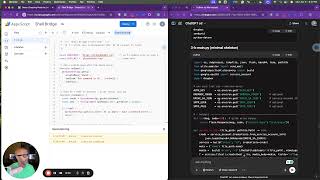 Transform Google Sheets into a DevOps Powerhouse in 10 Minutes (No Servers, No IDE!)
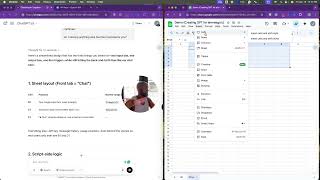 Turning a Google Sheet into a Pocket‐GPT: Our 15‐Minute Build, 3‐Hour Debug, and 1‐Click Win
All videos → · Watch “JavaScript and Google Apps Script for Marketers” on YouTube ↗ · Subscribe on YouTube ↗