Google Ads Scripts — Automate Without Engineers
About this video
John shows how to set up a Google Ads script that watches the account overnight and emails you about a spend anomaly before the client spots it in their bank app. No engineers needed: open Tools → Bulk actions → Scripts, paste the detector, set a daily trigger, and read the alert email.
Chapters
Transcript
Read the full transcript of “Google Ads Scripts — Automate Without Engineers”
Source: YouTube auto-generated captions, lightly cleaned (repeated caption lines removed, misheard brand names corrected).
0:00 — Client Sees It First
Your client sees the spend spike in their bank app before you see it in Google Ads. An overnight bid change or a broken negative list can burn through $2,000 before 9:00 in the morning. You need the alert first. Most accounts have no
0:14 — No Watcher Overnight
watcher. A media buyer checks the interface after stand-up. By then, the CPA has already bubbled and the client has already screenshotted the charge. Scripts exist so the account can watch itself while you sleep. A Google Ads
0:29 — Scripts Need No Engineers
script is a short JavaScript file that runs inside the account. You do not open a ticket. You do not wait on an engineering sprint. You paste the file, authorize it, and the account starts
0:43 — Step 1 — Open Scripts
checking itself. Open the Google Ads account and go to tools, then bulk actions, then scripts. You open this first because the editor is the only place the account will accept an authorized code. Without that surface, nothing you paste can run. Click the plus button to create a blank script and give it a name you will recognize later. You name it now because 6 months from now you will have several scripts and a vague title makes the wrong one easy to disable. Delete the sample code and
1:12 — Step 2 — Paste The Detector
paste the anomaly detector. You paste a known detector instead of writing one because a media buyer should not debug JavaScript at midnight. The script already knows how to compare yesterday to the lookback. Set the threshold so a real spike fires and normal noise does not. 40% over the 7-day average is a starting line for spend. You set it here because a silent script and a noisy script are both useless. Open the
1:40 — Step 3 — Set A Trigger
triggers panel and add one that runs the script every day. You set a daily trigger because a script with no schedule is just a file. It will not catch the overnight spike unless the account wakes it up. Pick a morning hour in the account time zone before you sit down. Daily is enough because hourly triggers hit Google limits and a spend anomaly is a day over day pattern. You want the mail waiting when you open the laptop. Put your work email in the
2:09 — Step 4 — Read The Email
script so the alert has a destination. You read that mail because the script cannot pause a campaign for you in this setup. The point is a human seeing the spike before the client does. When the mail lands, open the campaign in the subject and check spend against yesterday. You do this immediately because a 40% spike at 7:00 is still cheap to stop. Waiting until standup is how the client notices first. That order is not a preference. Set a trigger before you
2:38 — Why This Order Matters
paste and you schedule an empty file. Skip the email address and the detector runs in silence. Each step exists so the next one has something to act on. Open scripts, paste the detector, set a
2:52 — Recap
daily trigger, read the mail. The client should never see the spike first. The blog is on ahmeego.com. Buddy by Ahmeego. A company of it all started with an idea.
Related on ahmeego.com
More videos
 JavaScript and Google Apps Script for Marketers
 Connect GA4 to AI for Automated Insights
 How To Build a Website From a ChatGPT Wireframe
 Live Search Engine INSIDE Google Sheets GPT-4o + SerpAPI + Cloud Run (Full Build & Lessons)
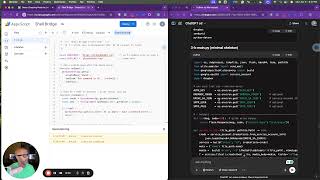 Transform Google Sheets into a DevOps Powerhouse in 10 Minutes (No Servers, No IDE!)
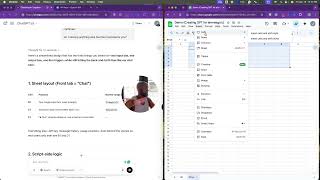 Turning a Google Sheet into a Pocket‐GPT: Our 15‐Minute Build, 3‐Hour Debug, and 1‐Click Win
All videos → · Watch “Google Ads Scripts — Automate Without Engineers” on YouTube ↗ · Subscribe on YouTube ↗