How I Launched My First ChatGPT Ads Campaign (And Set Up Conversion Tracking in Two Steps)
OpenAI's Ads Manager Beta is live. Here is the exact build for my own brand — campaign, ad groups, context hints, CPM bidding, ChatGPT-built creative, and conversion tracking wired through Google Tag Manager.
A few weeks ago I wrote about signing up for ChatGPT Ads — the verification flow, the constraints, what the platform is and is not. I promised a follow-up on the part that actually matters: building a live campaign.
This is that post. I launched a real campaign in OpenAI's Ads Manager Beta for my own brand, It All Started With An Idea, and I'm going to walk through every decision: the objective, the ad groups, the context hints, the bid, the creative I built with ChatGPT, and the conversion tracking I deployed through Google Tag Manager in two steps. No theory. This is the account.
The whole build, in one screen
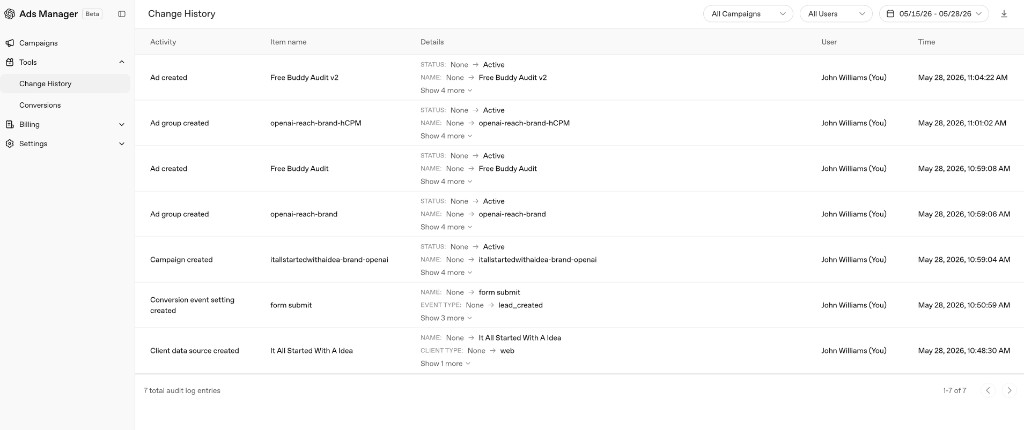
Before the step-by-step, here is the change log from the morning I set it up. Seven actions, start to finish, in about sixteen minutes: data source, conversion event, campaign, two ad groups, two ads.
The full launch in the Change History tab — data source, conversion event, campaign, two ad groups, two ads.
I'll take it in the order that makes the campaign actually work, which is not the order the interface walks you through. Measurement first.
Conversion tracking in two steps (through Google Tag Manager)
The single most common reason a new ad account produces nothing useful is that conversion tracking was never wired up correctly. So I did it before I spent a dollar.
OpenAI's measurement model is lighter than what you get in Google or Meta — aggregated data only, no user-level signal — but it does give you a web data source and a conversion key. You drop a tag on your site, map an event, and it starts counting. I did not touch my site code. I deployed it through Google Tag Manager, which is two steps:
Paste the tag. In Tag Manager I created a new Custom HTML tag, pasted OpenAI's conversion snippet into it, and set a trigger — in my case a form-submit trigger on the contact form so it fires lead_created rather than on every page.
Publish. Hit Submit on the container. That's it. No deploy, no developer, no waiting on a release.
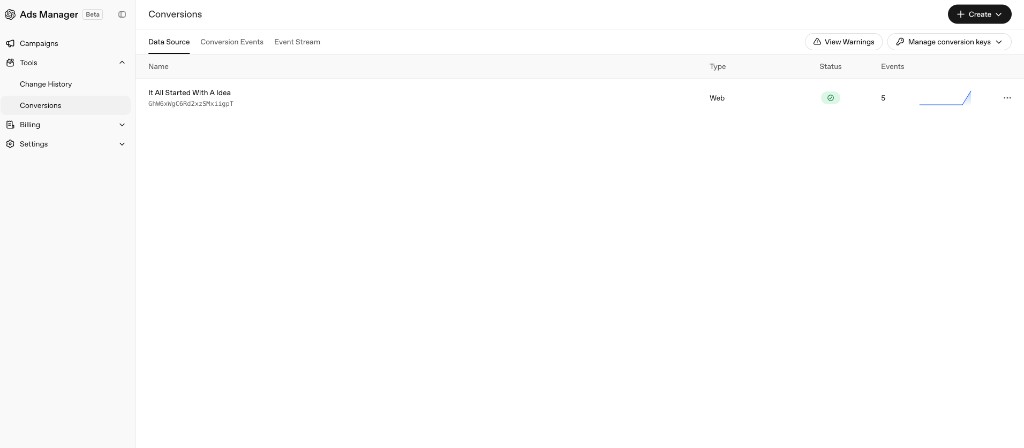
Within the hour the data source flipped to a green, healthy status and started recording events. Five by the time I took this screenshot.
The web data source, green and counting — five events in, deployed entirely through Tag Manager.
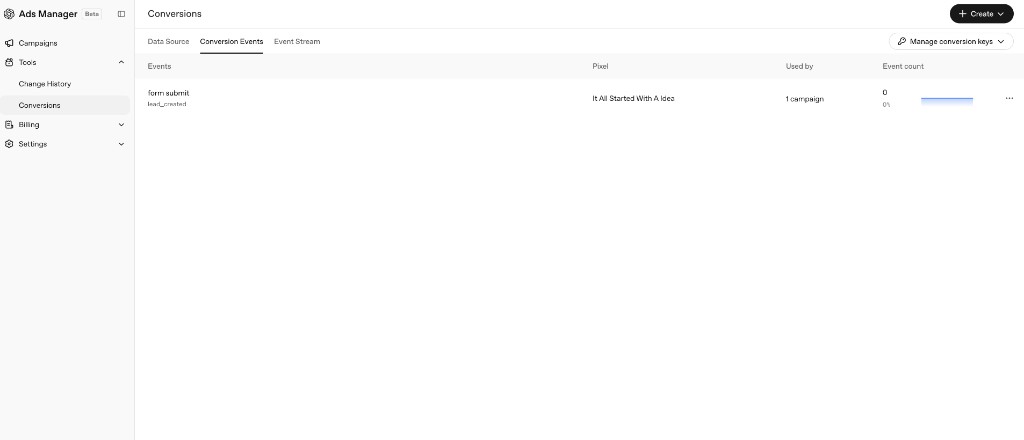
On the Conversion Events tab, the form submit action is mapped to the lead_created event and attached to the campaign. This is the number I actually care about. Impressions are vanity; a lead is the business.
The conversion event: form submit mapped to lead_created, used by one campaign.
Why Tag Manager and not site code? If you ever change platforms, add a pixel, or fix a trigger, you do it in one place and publish. You are not opening a pull request to change an ad tag. For a beta platform that will keep changing, that flexibility is worth a lot.
The campaign
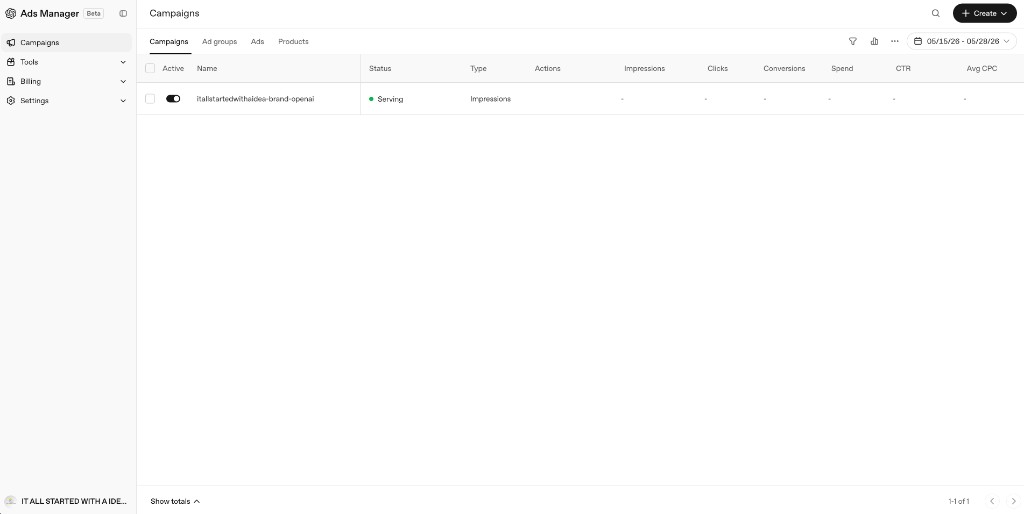
I created one campaign on the Reach objective — the goal is impressions in relevant conversations, not clicks. I named it itallstartedwithaidea-brand-openai so that six months from now I know exactly what it is. It went to a Serving status quickly.
One Reach campaign, Serving. Set a daily budget cap here so the bid can't surprise you.
Set the budget cap separately from the bid. Reach campaigns optimize for impressions, so a high CPM bid plus no cap is how you wake up to a number you didn't intend. Cap the daily spend first; let the bid do its job inside that ceiling.
Ad groups and the bid that actually delivers
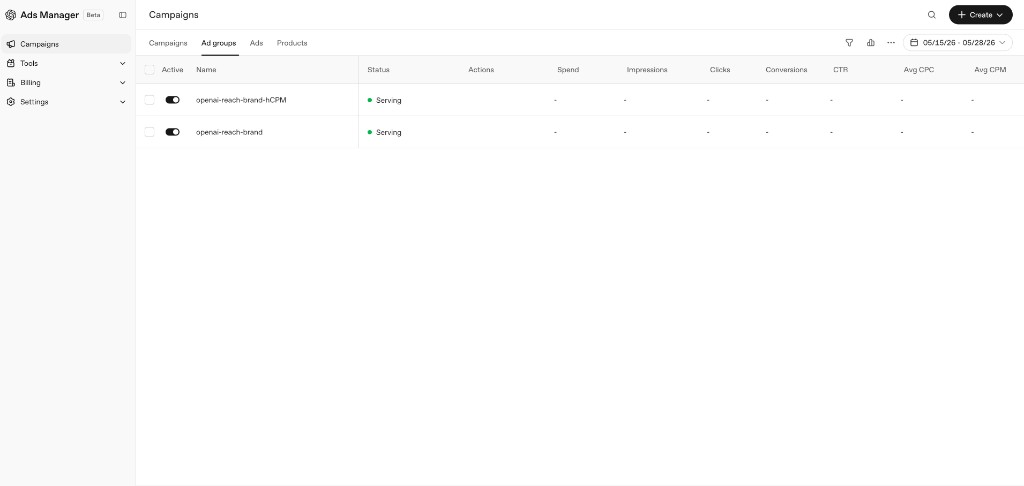
I built two ad groups under the campaign — openai-reach-brand and openai-reach-brand-hCPM — so I could test two bid levels against the same context.
Two ad groups, two bid levels, one set of context hints — a clean CPM test.
Here is the bidding lesson, because it is the one that quietly kills new accounts. OpenAI's default maximum bid for CPM campaigns is $60 CPM. The interface will happily let you enter something tiny like $1.15, and at that level you will get little or no delivery. A bid that low isn't cautious; it's invisible.
Bid level
What happens
~$1–$5 CPM
Effectively no delivery. You'll think the platform is broken. It isn't — you're under the floor.
$20–$40 CPM
A cautious, real test. Enough to learn whether your context hints are matching anything.
$60 CPM
Normal delivery. Use this if you can watch spend closely and you want signal fast.
My recommendation, and what I did: launch as a small test in the $20–$40 range, watch impressions first, and raise the CPM before you touch the context hints. If you're getting impressions but the wrong ones, fix the hints. If you're getting nothing, raise the bid. Don't change both at once or you'll never know which lever moved.
Context hints: write scenarios, not keywords
There is no keyword bidding in ChatGPT Ads. Targeting is contextual — driven by what the person is actually talking about in the conversation. Context hints are how you tell OpenAI which conversations you want to show against, and the platform treats them as guidance for matching, not exact-match rules. So you write them as scenarios, in plain language, not as a keyword list.
Here is what I used for a brand built around helping people turn ideas into real businesses:
Show ads in conversations where people are exploring new business ideas, startup concepts, entrepreneurship, product ideas, side hustles, creative projects, innovation, branding, naming ideas, business planning, idea validation, go-to-market strategy, marketing strategy, content creation, and turning an idea into a real business or project.
Relevant users may be asking for help brainstorming ideas, developing a brand, launching a website, creating a business plan, validating a startup concept, finding inspiration, or taking the next step on a creative or entrepreneurial idea.
Do not prioritize conversations unrelated to entrepreneurship, creativity, startups, business building, branding, marketing, or idea development.
Notice the structure: where to show, who the person is and what they're asking for, and an explicit exclusion. That last paragraph matters more than people think — telling the model where not to spend is as useful as telling it where to.
The creative — built with ChatGPT
I used ChatGPT to write and pressure-test the ad itself, then to generate the image. The useful move was to point it at my actual landing page and have it write to the strongest offer rather than the generic homepage. For me that offer is the free, Buddy-powered paid media audit, so the ad pushes that, not "learn more."
The constraints are tight, so I had it write to the limits:
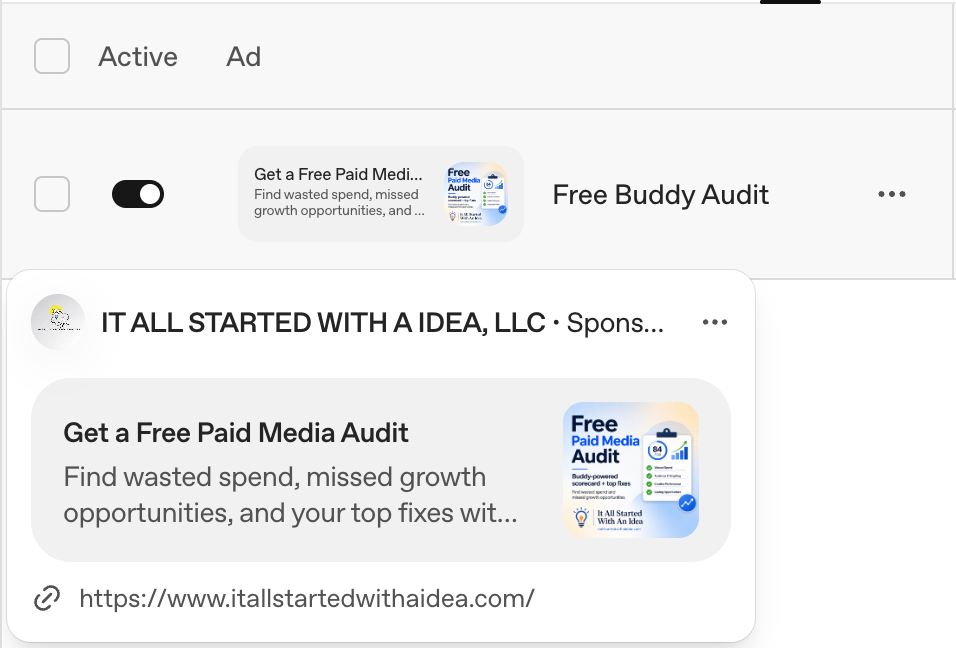
Headline (50 char max): “Get a Free Paid Media Audit” — 29 characters.
Description (100 char max): “Find wasted spend, missed growth opportunities, and your top fixes with a Buddy-powered audit.” — 91 characters.
Image: a clean square, logo plus “Free Paid Media Audit” and a simple scorecard visual. The placement is small, so no tiny text.
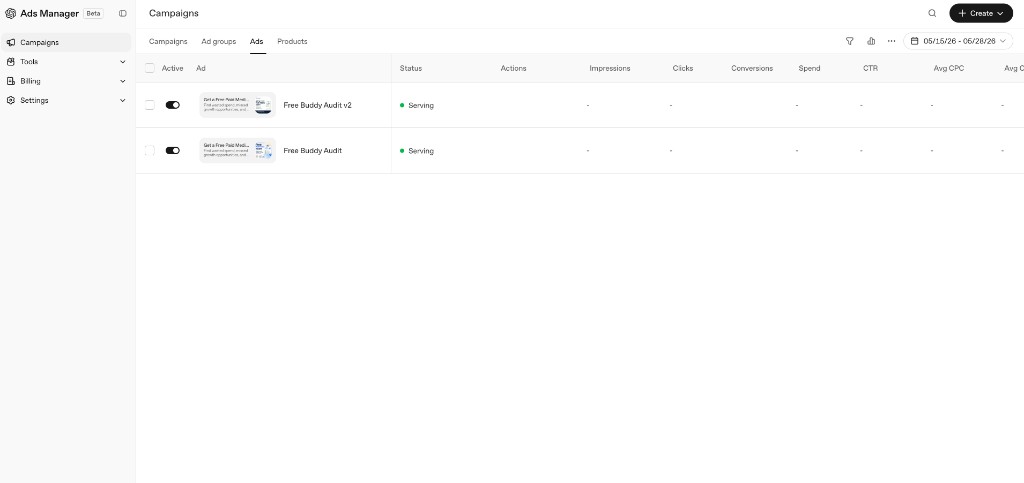
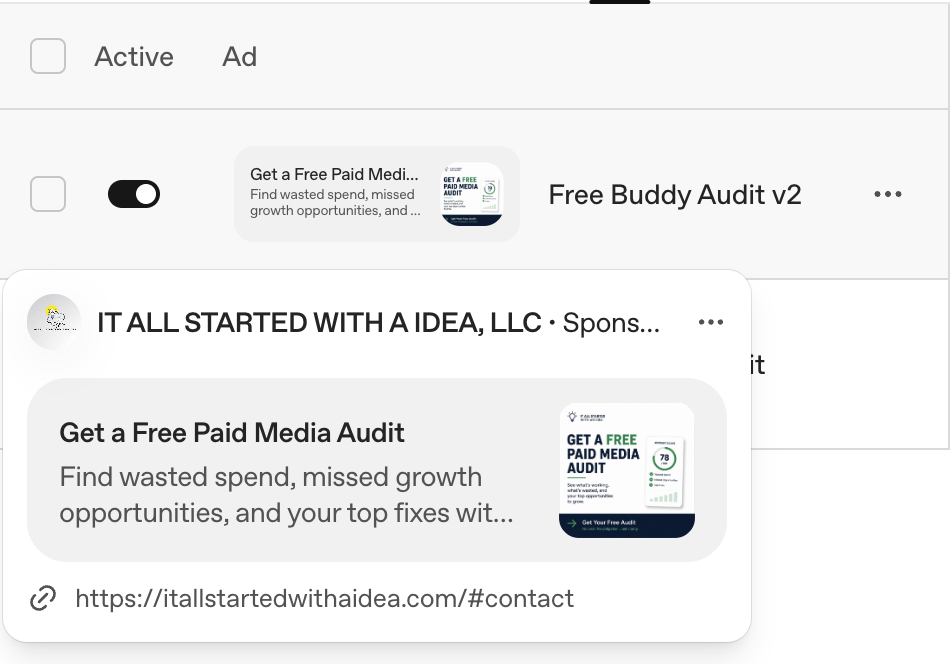
Then I built a second version to test against the first — same offer, simpler image, different framing — so the account has two creatives competing from day one.
Two ads serving from launch — Free Buddy Audit and Free Buddy Audit v2.Version one of the creative, as it renders in a ChatGPT conversation.Version two — a scorecard-forward creative with a clearer call to action, pointing straight at the contact form.
Write to the strongest offer, not the homepage. A free audit with a scorecard and a prioritized fix list is a reason to click. “Visit our website” is not. The landing page and the ad should make the same promise.
The housekeeping that's easy to skip
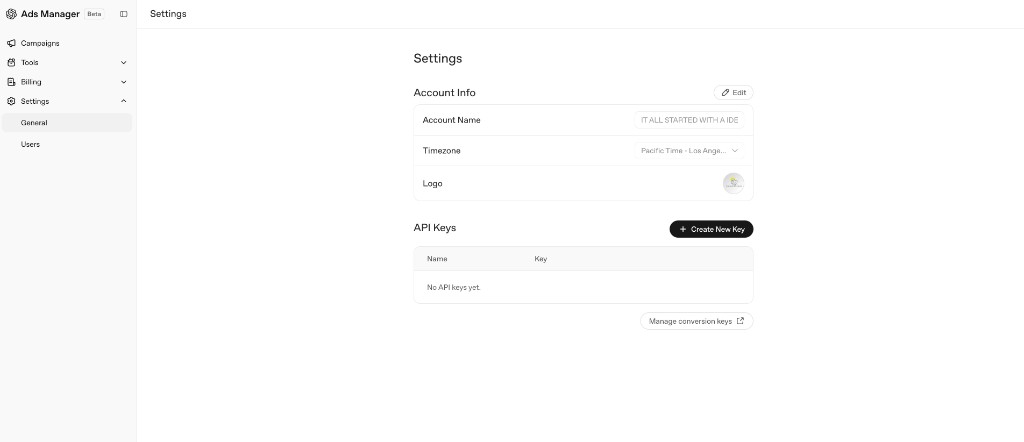
Two things I set before walking away. First, account settings — legal name, timezone, currency — which the platform warns you cannot change later, so it's worth getting right the first time.
Account settings — name, timezone, logo. Some of this can't be changed later, so set it carefully.
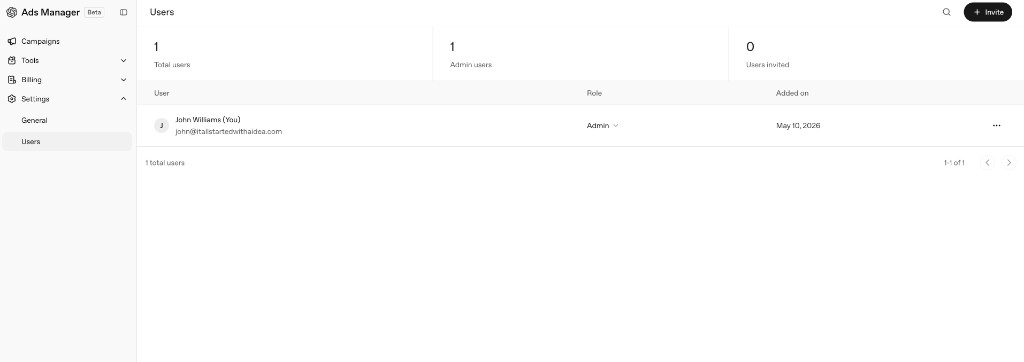
Second, users. It's a single-admin account today, but the beta supports role-based access, so if you're running this for a client or with a team, invite them now rather than sharing a login.
Role-based users are supported in the beta — use them instead of a shared login.
What I'm watching now
Delivery first. Are the two ad groups getting impressions at their bid levels? If the low one is starved, that's the floor, not the hints.
Match quality. When reporting matures, I want to know whether the conversations I'm showing in actually look like the scenarios I wrote.
The lead, not the impression. The whole reason I wired up lead_created first is so I can judge this channel on business outcomes, alongside Google and Meta, instead of on reach alone.
It's a beta. Capabilities will expand and screens will change. The early-mover advantage is real, especially in verticals where your competitors aren't paying attention yet. Get in, learn the mechanics, and you'll be fluent when it scales.
The offer the ad points at
The whole campaign exists to drive one thing: a free, Buddy-powered audit of your Google Ads account. Buddy pulls your account structure, scores it against best-practice frameworks, and hands you a prioritized list of fixes — the kind of audit I'd charge five figures for, done in minutes.
If your account hasn't been audited in the last six months, run it through Buddy. You'll find money.
I'll keep writing as the platform matures — how delivery actually shakes out across the two bid levels, what reporting looks like once there's volume, and how ChatGPT Ads earns or loses its place in a multi-platform stack next to Google and Meta. If you've got a specific use case, my inbox is open.
— John
Sources & references: Direct observation from building a live campaign in OpenAI's Ads Manager Beta for IT ALL STARTED WITH A IDEA, LLC on May 28, 2026. Bidding and context-hint guidance reflect OpenAI's ChatGPT Ads Help Center documentation (default $60 CPM maximum bid; context hints as matching guidance, not exact-match rules) cross-checked against the account. Conversion tracking was deployed through Google Tag Manager. Screenshots are mine and may differ from your experience as OpenAI iterates on the flow.